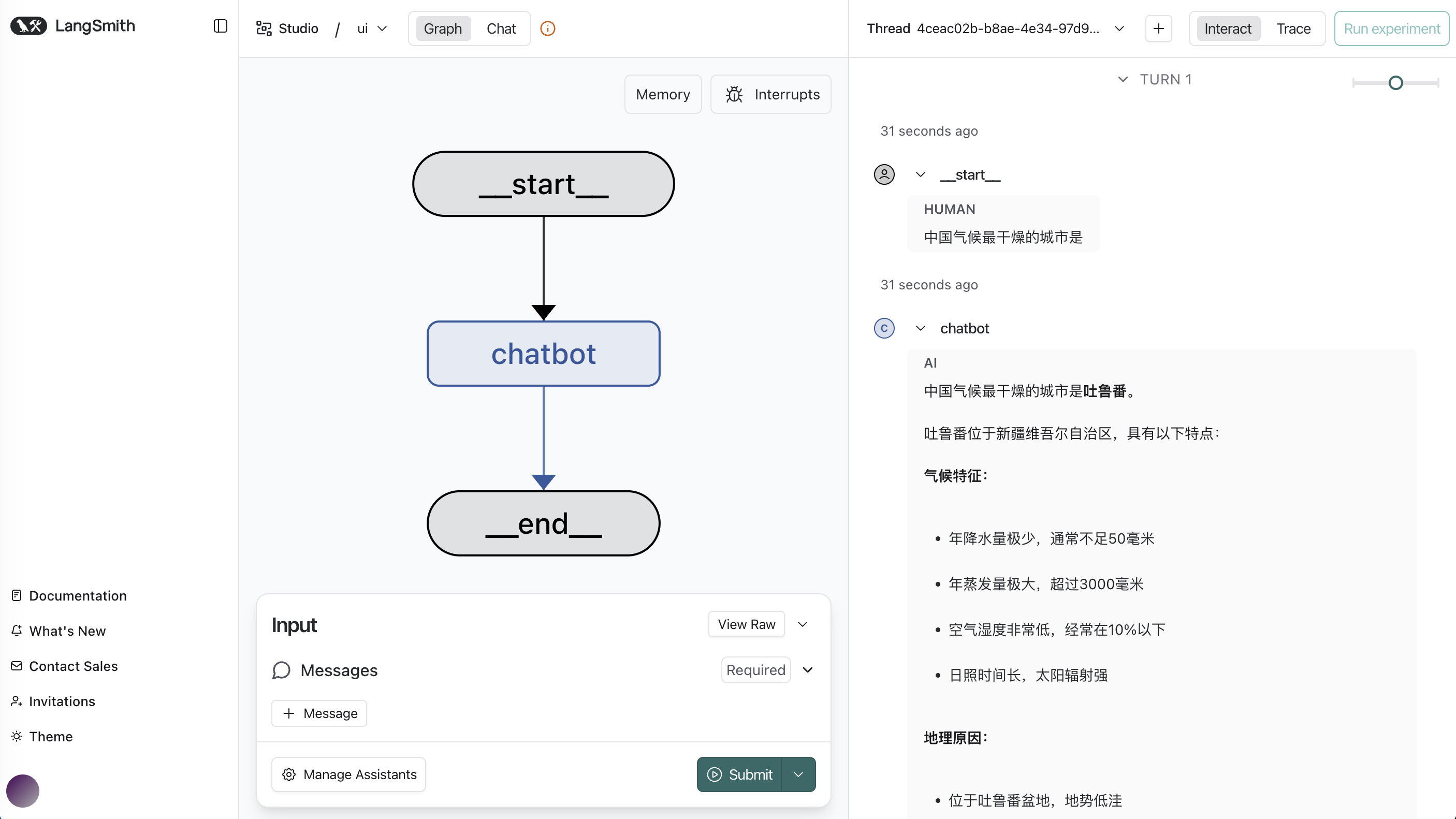
LangGraph provides a convenient debug page for everyone, powered by LangGraph CLI.
⚠️ Please note that this feature is not client-side. That is, using this feature requires an internet connection, and your information will be sent to LangChain team’s servers. Therefore, please do not access sensitive data on this page!
The debug page will link to LangSmith’s website. The page looks like this:
1. LangSmith
LangSmith is an LLM application data analysis platform launched by the LangChain team. It helps developers visually manage and optimize the entire application development process. LangSmith is a paid PaaS, but offers some free features.
2. langgraph-cli
2.1 Install Dependencies
Before using the service, install the dependencies:
pip install "langgraph-cli[inmem]"2.2 Develop Agent Backend
Here, we develop a simple Agent as the backend for this debug page. The code is as follows:
import os
from dotenv import load_dotenv
from langchain_openai import ChatOpenAI
from langchain.agents import create_agent

# Load model configuration
_ = load_dotenv()

# Configure LLM service
llm = ChatOpenAI(
    api_key=os.getenv("DASHSCOPE_API_KEY"),
    base_url=os.getenv("DASHSCOPE_BASE_URL"),
    model="qwen3-coder-plus",
)

# Create Agent
agent = create_agent(model=llm)

# langgraph-cli entry function
def get_app():
    return agent
Source: simple_agent.py
2.3 Write Configuration File
The default configuration file for langgraph-cli is called langgraph.json.
If using another filename, you need to specify your json filename with the
--configparameter when starting the service.
{
    "dependencies": [
        "./"
    ],
    "graphs": {
        "supervisor": "./simple_agent.py:get_app"
    },
    "env": "./.env"
}
2.4 Start langgraph-cli
Start the service from the command line:
# If your configuration file is the default langgraph.json
langgraph dev

# If your configuration file is [your_agent].json
langgraph dev --config [your_agent].json
After running, it will automatically jump to the debug page in your browser.
Since this Chat page is not open source, it is not recommended for production use. If you need an alternative open-source frontend Chat page, you can refer to my clickhouse-chatbi project. This project uses the Next.js nextjs-ai-chatbot template. This template combines modern appearance with easy-to-use features, making it an excellent choice for rapid development.